What it looks like
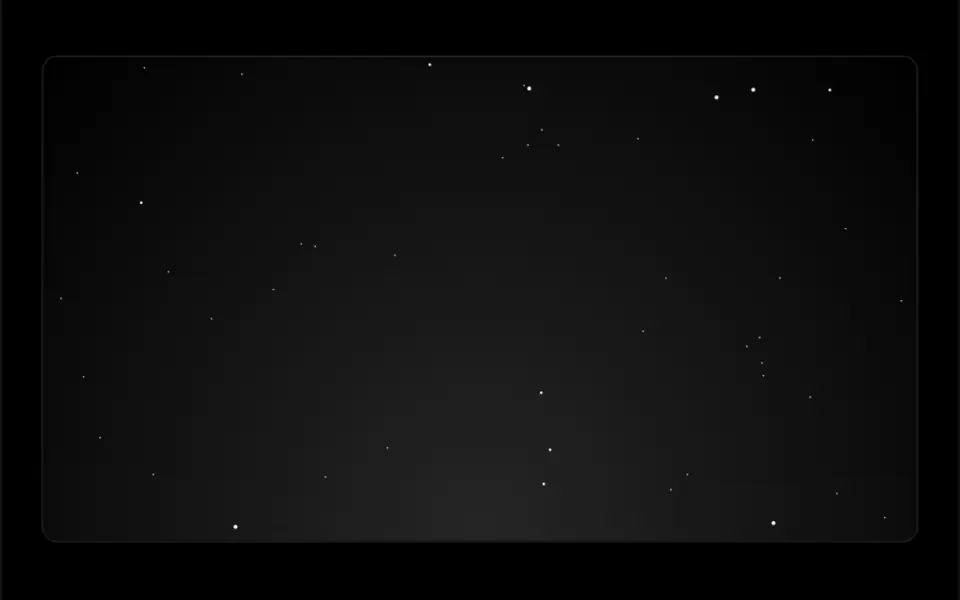
It looks like a winter night far up north, seen from a valley. The navy sky holds stars that twinkle at different rates, and just above the horizon thin curtains of light start green, turn cyan higher up and fade as they rise, rippling slowly with vertical rays and empty stretches between them. Three layers of mountains cut across the horizon, their ridges catching the glow. Moving the mouse shifts stars, curtains and mountains at different depths. The panel is always dark with a soft vignette, fills its parent element and keeps your content on top.
You may be looking for this if you asked for something like
- a night sky background with the northern lights moving
- those green northern lights at the top of my site, with mountains
- a dark background with twinkling stars and wavy green light
- an animated night landscape for a product launch opener
- like a photo of the aurora in Iceland, but moving
- a hero background with depth that shifts when I move the mouse
- a starry night vibe for a premium brand homepage
Also known as
- northern lights shader
- aurora borealis background
- WebGL aurora
- night sky background
- starry sky with mountains
- volumetric aurora
- parallax night scene
When to use
- A night-themed hero for a brand, product or event that needs high impact
- A launch section with a short headline over the sky
- The backdrop for a featured testimonial or a manifesto line
- Travel, winter tourism or outdoor experience pages
When to avoid
- Light-themed sites, since the panel is always dark and has no light mode
- Pages that already run another heavy WebGL effect
- Long text areas, where the curtains compete with reading
How to ask your AI
Create a WebGL shader northern lights background for the homepage hero: curtains of light in my brand colors over a starry sky and mountains, subtle mouse parallax, paused when off screen, a still frame for reduced motion and a static fallback in Nuxt.
With THM Componentes, you paste the full prompt from the catalog, which already includes this component's source code, and the AI reproduces this exact effect instead of improvising.
Questions about Boreal
Does Boreal work on phones?
It works on devices with WebGL. Boreal caps pixel density at 2 and lowers it by itself when frames get slow, which helps on weaker phones. The parallax depends on a cursor, so on touch screens the curtains simply keep rippling on their own. Since it is rated Heavy in THM Componentes, the prompt asks for on-demand loading.
Can I change the green of the aurora?
Yes. Boreal takes two colors: color1 paints the base of the curtains and color2 the top. The docs suggest purple and indigo for a violet variant, and the THM Componentes prompt tells your AI to use your project color tokens. You can also tune intensity and star density, or turn the mountains off.
Does Boreal respect reduced motion settings?
Yes. When the system asks for reduced motion, Boreal shows a still frame: the curtains and the star twinkle stop, and only the cursor parallax keeps responding. It also pauses when it scrolls off screen, so it stops drawing while people read other sections.