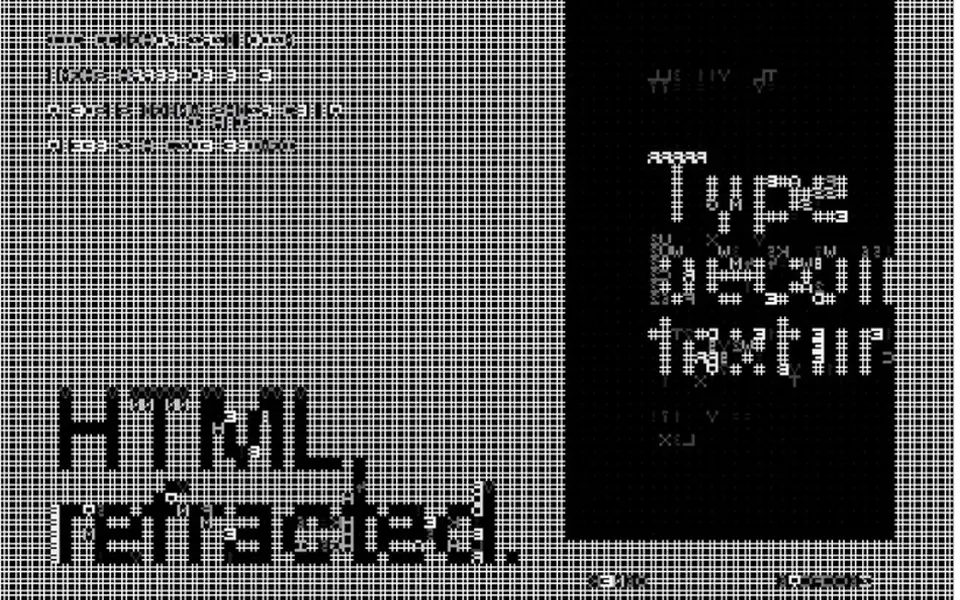
What it looks like
It looks like an old terminal screen displaying a 3D object. By default a torus knot, a sort of braided donut, spins slowly in the center, lit by a key light and a bluish rim light. Instead of colors and pixels, the area is split into a grid of 10-pixel cells, and each one shows a character from a scale that runs from a blank space to the at sign, depending on the light at that spot. Symbols are navy on a near-white background, or take on the scene color in colored mode. The object leans smoothly toward the mouse.
You may be looking for this if you asked for something like
- a 3D object made of little letters spinning at the top of my site
- a hacker terminal effect with a 3D shape in the middle
- an ASCII code look for a cybersecurity site
- a 3D animation that looks like an old computer
- a spinning shape drawn with text symbols that follows the mouse
- a tech company hero with a command line aesthetic
- that 3D ASCII art effect you see on developer portfolios
Also known as
- 3D ASCII art
- ASCII shader
- terminal effect
- text mode 3D
- character rendering
- ASCII art animation
When to use
- A hero for a tech, security or infrastructure company
- A developer portfolio with a terminal aesthetic
- A launch page for a command line tool or an API
- The opening of a coding event or hackathon
When to avoid
- Pages that already run another WebGL effect, since the prompt allows one heavy effect per page
- Warm, caring brands such as health and wellness, where a terminal look clashes
How to ask your AI
Create a 3D scene rendered live in ASCII characters with Three.js for the hero: a lit shape that spins on its own and follows the cursor, with glyphs in my brand colors, a pause when off screen, a fixed angle for reduced motion and client-only loading with a static fallback in Nuxt.
With THM Componentes, you paste the full prompt from the catalog, which already includes this component's source code, and the AI reproduces this exact effect instead of improvising.
Questions about Caligrama
Will Caligrama make my site heavy?
It is rated Heavy in THM Componentes: Caligrama draws the 3D scene with Three.js and then turns it into characters in a second GPU pass, every frame. It pauses when off screen and caps resolution at 2x, and the prompt tells your AI to load it on demand and keep a single heavy WebGL effect per page.
How do I use Caligrama in Nuxt with SSR?
Caligrama depends on the three package and creates its WebGL context in the browser. The THM Componentes prompt tells your AI to wrap the component in ClientOnly with a static fallback, an image or a color, and to load it on demand, so the server delivers the page without waiting for the 3D scene.
Can I change the shape and characters in Caligrama?
Yes. Caligrama offers three shapes, torus knot, icosahedron and torus, and the character ramp is a text prop, from darkest to lightest. You can also adjust cell size, colors and speed. With reduced motion turned on, the automatic rotation stops and the shape only moves with the cursor.