What it looks like
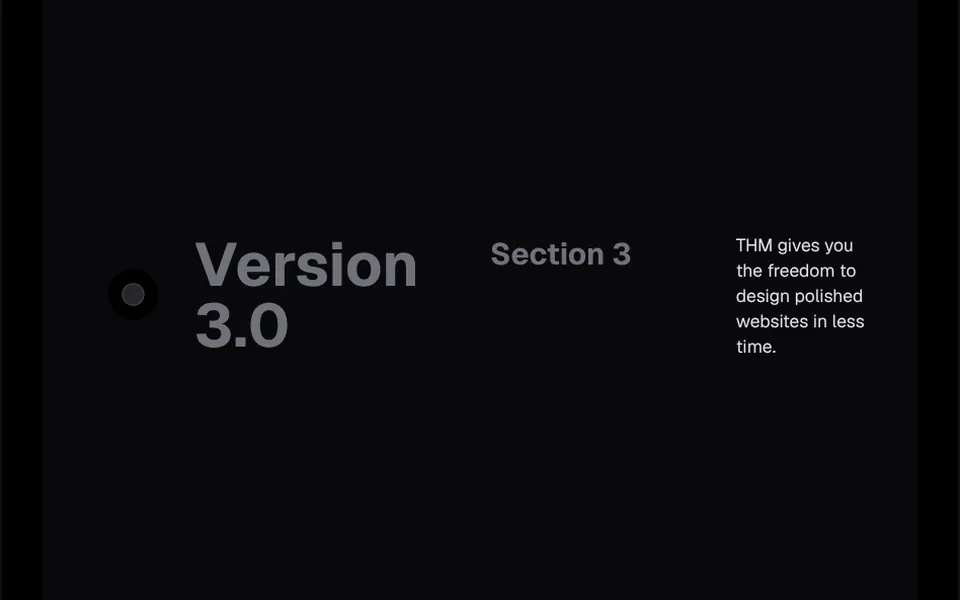
It is like a rail with a light running along it while you read. To the left of the content runs a light gray track that goes straight down and, near the end, takes a small sideways jog. On top of it, a stretch of gradient light, from cyan through indigo to purple and fading at one end, moves down as the page scrolls, with a small spring lag, as if chasing the reader. At the top, a small circle holds a green dot with a shadow before scrolling and turns white once the content passes the top of the screen. The track grows with the content.
You may be looking for this if you asked for something like
- a line next to the article that lights up as I read
- a reading progress bar on the side with a colorful glow
- that light beam that moves down with the scroll on blogs
- show progress through the steps of my work process
- a timeline with a light that follows the scroll
- make my portfolio case study feel like a startup site
- a subtle scroll effect for a long piece of text
Also known as
- glowing scroll line
- scroll beam
- reading progress line
- scroll progress indicator
- animated timeline line
- scroll-linked beam
When to use
- Long articles and blog posts
- Portfolio case studies told in steps
- Process, method or methodology pages
- Release notes and product changelogs
When to avoid
- Short pages, with almost no scrolling for the beam to travel
- Phone layouts without left padding, where the track touches the text
How to ask your AI
Add a scroll beam to the left of the article: a thin line with gradient light in my brand colors that travels down as people read, with room reserved on phones, no impact on scrolling smoothness and a still version for people who prefer reduced motion.
With THM Componentes, you paste the full prompt from the catalog together with this component's code, and the AI reproduces this exact effect instead of improvising.
Questions about Farol
Does Farol work in Nuxt with SSR?
Yes. Farol only touches the window and measures the content inside onMounted, so the page renders on the server as usual and the beam starts reacting to scroll in the browser. The track height adjusts by itself when the content changes, through a ResizeObserver.
Does Farol need any extra library?
One. Besides the catalog animation base, Farol uses vue-use-spring to give the beam its spring lag, and the THM Componentes prompt already includes the install command. The rest is a simple SVG with a gradient, with no canvas or WebGL.
How does Farol look on phones?
On phones, Farol's track sits closer to the text: its side offset drops from 48 to 16 pixels, so the content needs left padding to keep clear of the line, as the demo does. The beam follows finger scrolling the same way.