What it looks like
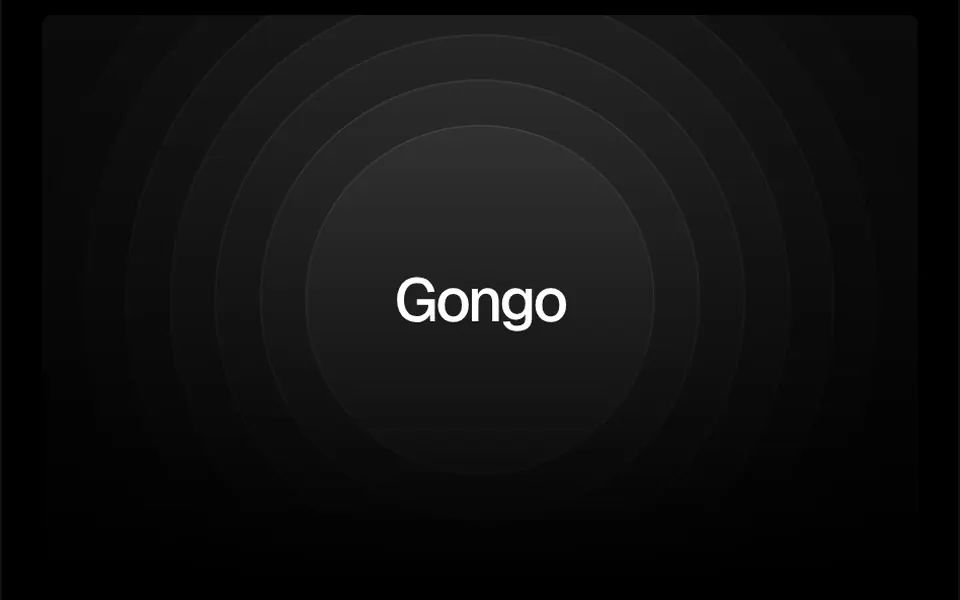
It looks like the rings that spread when a stone drops into a pond, or the pulse on a sonar screen. Seven concentric rings, from smallest to largest, surround the element in the center and shrink and return to size in a two-second cycle, each a moment after the previous one, so the pulse runs from the inside out. Each ring is more transparent than the one before, so the effect fades toward the edges. In the demo the rings are circles with a translucent fill that fades downward; they can also be squares or organic blobs. Your content sits in the center, on top.
You may be looking for this if you asked for something like
- circles pulsing behind the logo, like ripples in water
- a sonar effect around my app icon
- waves coming out of the main button to grab attention
- rings pulsing behind the app download section
- highlight the logo in the middle of the page with something subtle
- an animated concentric circles background that stays lightweight
- that radar pulse effect behind an icon
Also known as
- ripple effect
- concentric circles
- pulse effect
- sonar effect
- radar pulse
- pulsing rings
When to use
- Highlighting a logo or app icon in the center of a section
- Drawing attention to the main download or sign-up button
- An integrations or connection section with a central icon
- Waiting, searching or connecting screens
When to avoid
- Small elements inside cards, since the default rings reach 700 pixels
- Pages with several pulsing spots, where attention gets split
How to ask your AI
Add a CSS concentric ripple effect behind the logo in the center of the section: rings in my brand colors pulsing from the inside out and fading toward the edges, still for people who prefer reduced motion, with sizes adjusted for mobile.
With THM Componentes, you paste the full prompt from the catalog together with this component's code, and the AI reproduces this exact effect instead of improvising.
Questions about Gongo
Does Gongo slow down the page?
No. Gongo uses only HTML elements with borders and a CSS scale animation, with no canvas, WebGL or animation JavaScript, and it is rated Light in THM Componentes. It keeps pulsing for people who prefer reduced motion, so the THM Componentes prompt asks your AI for a static version with the rings standing still.
How do I make Gongo's rings round and in my brand color?
Use the circleClass prop, which takes CSS classes applied to each ring in Gongo. Without it, the rings come out square with a thin border in the text color; the demo adds rounded-full to make circles and sets a border color and a translucent fill. The THM Componentes prompt asks your AI to use your project color tokens.
Does Gongo work on phones?
Yes, since Gongo is plain CSS. By default its rings reach 700 pixels and stay centered, so on narrow screens they spill past the edges; the demo container uses overflow hidden to clip them. Adjust baseCircleSize and spaceBetweenCircle for small screens and test on a phone, as the THM Componentes prompt recommends.