What it looks like
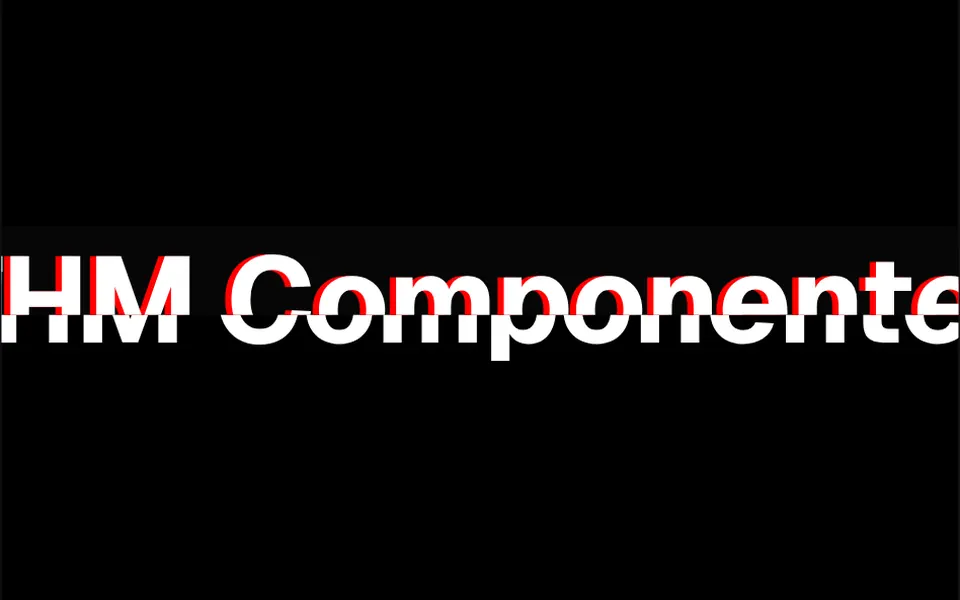
It looks like the fine-line shadow of an old engraving or a retro poster. Behind each letter sits a copy shifted slightly right and down, filled with very thin diagonal lines, like hatching, instead of a solid color. Those lines slide slowly along the diagonal in a 15-second loop that never stops, giving the shadow a quiet shimmer. The front letter keeps the color and font of the surrounding text. The shadow is black by default; in the demo it turns white in dark mode. The effect shows up most in large, bold headlines, like the one in the demo.
You may be looking for this if you asked for something like
- a headline with a shadow made of diagonal stripes
- a retro shadow made of lines behind the word
- an old poster style text effect for my headline
- a word with a hatched shadow that moves slowly
- make one word in the headline look editorial
- that striped magazine-style shadow on big letters
Also known as
- engraving-style shadow
- striped text shadow
- hatched shadow
- retro text shadow
- diagonal line shadow
- animated text shadow
When to use
- One highlighted word inside a large headline, as in the demo
- Editorial sites, digital magazines and blogs with a retro look
- Landing pages for brands with a graphic or vintage identity
- Section covers and campaign callouts set in bold type
When to avoid
- Small or thin text, where the shadow lines barely show
- Content that changes after load, because the component reads the text once and accepts plain text only
How to ask your AI
Create a diagonal line shadow effect behind one word of the hero headline: the stripes slide slowly in my brand color, with proper contrast in dark mode and a still shadow for people who prefer reduced motion.
With THM Componentes, you paste the full prompt from the catalog together with this component's code, and the AI reproduces this exact effect instead of improvising.
Questions about Buril
Can I put icons or HTML inside Buril?
No. Buril accepts only plain text as content and throws an error if it gets another element, because it uses that text to draw the shadow. The content is also read once, on mount, so to change the phrase later your AI can recreate the component with a new key.
How does Buril look in dark mode?
Buril has a single shadow color, set in the shadowColor prop, black by default. It does not switch colors on its own; in the demo, the color changes to white when the dark theme is active. The THM Componentes prompt tells your AI to use your project color tokens in both themes.
Does Buril add weight to my site?
Almost none. Buril is CSS only: a pseudo-element repeats the text behind the letter and an animation moves the stripe pattern over 15 seconds, with no animation JavaScript. That is why it is rated Light in THM Componentes. For people who prefer reduced motion, the prompt asks for a still version.