What it looks like
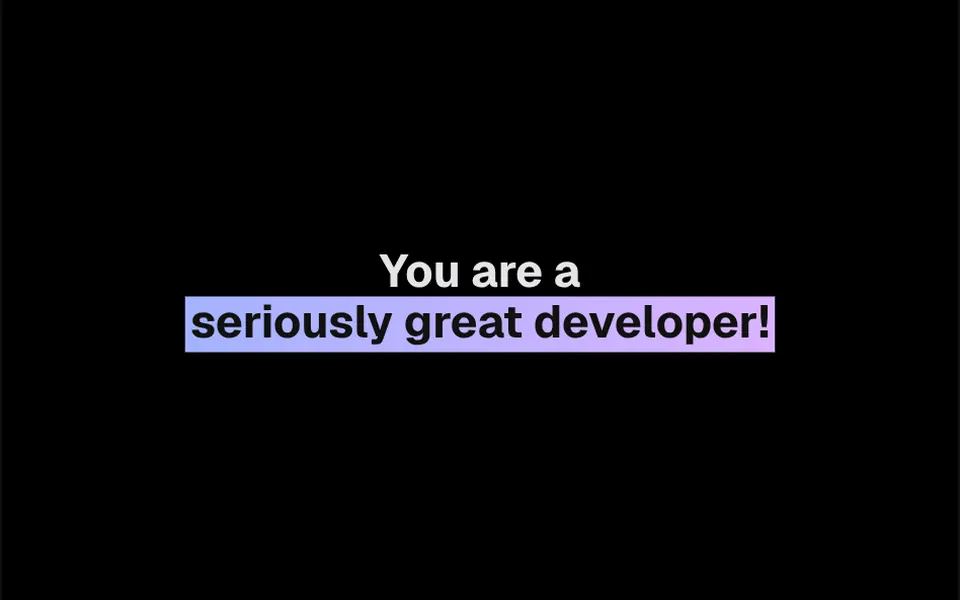
It looks like someone running a highlighter over a word the moment the page opens. The highlighted span gets a little breathing room on the sides and bottom, and the background color starts at the left edge and stretches until it covers the whole span, in two seconds by default, easing in and out. The color comes from a gradient you set, and the corners can be rounded. A delay lets the highlight land after people read the start of the sentence, and the text color can change at the end to keep contrast.
You may be looking for this if you asked for something like
- highlight a word in my headline like a marker pen
- a colored background that fills in behind a phrase
- emphasize the key term in the headline with an animated band
- a highlighter pen effect sweeping over text on my site
- a word with a gradient background that appears gradually
- draw attention to the main benefit in the middle of a paragraph
Also known as
- highlighter effect
- animated highlighter
- marker highlight animation
- background fill text
- highlighted text
- marker pen effect
When to use
- Emphasizing the main benefit in a sales page headline
- Marking key terms in articles, guides and blog posts
- Punchy lines in presentations and manifesto sections
- Hero headlines, with the highlight landing after the opening words
When to avoid
- Spans further down the page, since it runs on load and may already be done
- Many highlights in the same text, which dilute each one
How to ask your AI
Create an animated CSS highlighter effect to emphasize a phrase in my sales page headline: my brand color filling the background from left to right when the span enters the screen, with proper contrast and a static version for reduced motion.
With THM Componentes, you paste the full prompt from the catalog together with this component's code, and the AI reproduces this exact effect instead of improvising.
Questions about Pincelada
How do I change the highlight color in Pincelada?
The highlight color in Pincelada comes from a gradient applied through a class, so you can use a Tailwind class or CSS variables from your design system; for a solid color, use a single-color gradient. The THM Componentes prompt tells your AI to use your project color tokens, and a prop changes the text color when the highlight ends.
Does Pincelada animate when people scroll to it?
Not by default. The animation in Pincelada starts when the element renders, after the delay you set. For a span further down, ask your AI to trigger the highlight when it enters the screen, with IntersectionObserver; at the top of the page, the original behavior already works well.
Does Pincelada hurt readability or accessibility?
Pincelada keeps your text as ordinary text with an animated background, so screen readers read the sentence normally. The thing to watch is contrast: light text on a light highlight is hard to read. The end text color prop helps you keep the contrast WCAG recommends.