What it looks like
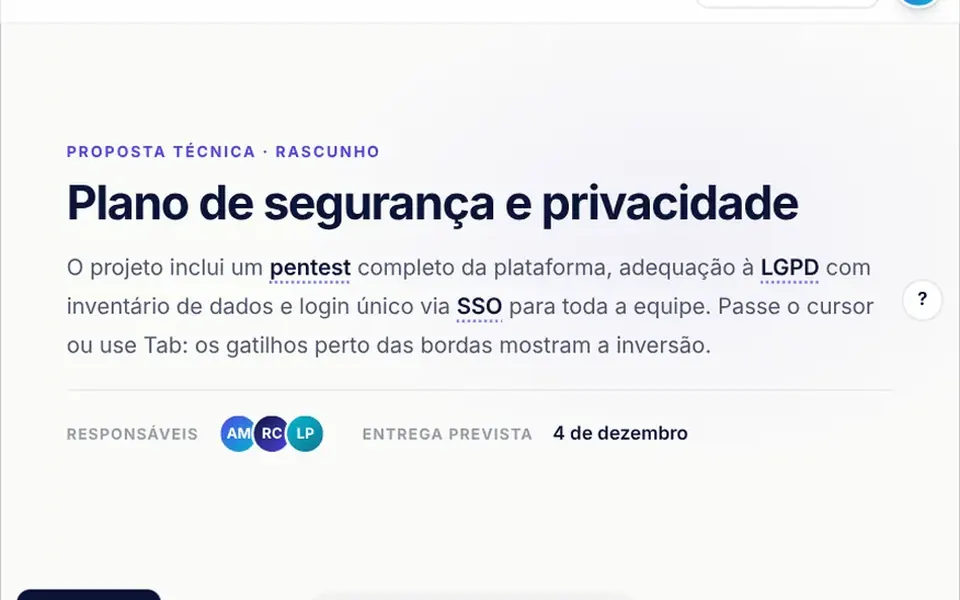
The demo is a light-themed document editor. In the top toolbar, hovering over an icon such as undo or bold shows, after a moment, a dark bubble with the action name and its shortcut, Ctrl or ⌘ depending on the system; neighboring tips then open with no wait. In the text, terms with a dotted underline open a white card with an explanation. Buttons for sharing and exporting open white menus with icons. Near an edge, each bubble switches sides by itself and its little arrow follows. They enter with a slight grow and fade, and a footer badge shows which technology is in use.
You may be looking for this if you asked for something like
- a little tooltip that shows when I hover a button
- a tooltip that does not get cut off at the edge of the screen
- a menu that opens below a button and flips when it does not fit
- show the keyboard shortcut when hovering an icon
- an explanation that pops up when hovering a word in the text
- an account menu that opens when I click the avatar
- toolbar tooltips like the ones in professional document editors
- an accessible tooltip that also opens from the keyboard
Also known as
- tooltip
- popover
- dropdown menu
- anchor positioning
- flip tooltip
- hover card
- contextual help
When to use
- Editor toolbars with action and shortcut hints
- Inline glossaries with an explanation on hover or focus
- Account, share and export menus in dashboards and SaaS
- Forms with short help next to the fields
When to avoid
- Essential information, which should not hide behind a tooltip
- Drop-in use as a generic component, since tips and menus are defined inside the file next to the sample scene
How to ask your AI
Create anchored tooltips and menus for my editor toolbar with CSS Anchor Positioning and the Popover API: side flipping at the edges, an arrow that follows, shortcuts shown per operating system, keyboard opening, Esc to close and a JavaScript fallback for browsers without support.
With THM Componentes, you paste the full prompt from the catalog, which already includes this component's source code, and the AI reproduces this exact effect instead of improvising.
Questions about Baliza
Does Baliza work in browsers without Anchor Positioning?
Yes. Baliza checks support with CSS.supports and the popover attribute; without it, a JavaScript fallback computes the position, flips sides at the edges, slides to fit and closes on outside clicks and Esc. A badge in the demo shows which mode is running, and the forceFallback prop forces the fallback for testing.
How do I use Baliza on my own buttons?
In Baliza, tooltips and menus live in a list inside the file, next to a sample editor scene. Ask your AI to replace that list with your own buttons, texts and menu items while keeping the anchored positioning, the edge flipping and the select event, which reports the chosen menu and item.
Is Baliza accessible by keyboard and on phones?
Yes. In Baliza, tooltips appear right away on Tab focus and are linked to their button for screen readers; menus open with the arrow keys, move with arrows, Home and End and close with Esc or Tab, returning focus. On phones, a tap opens or closes a tooltip.