What it looks like
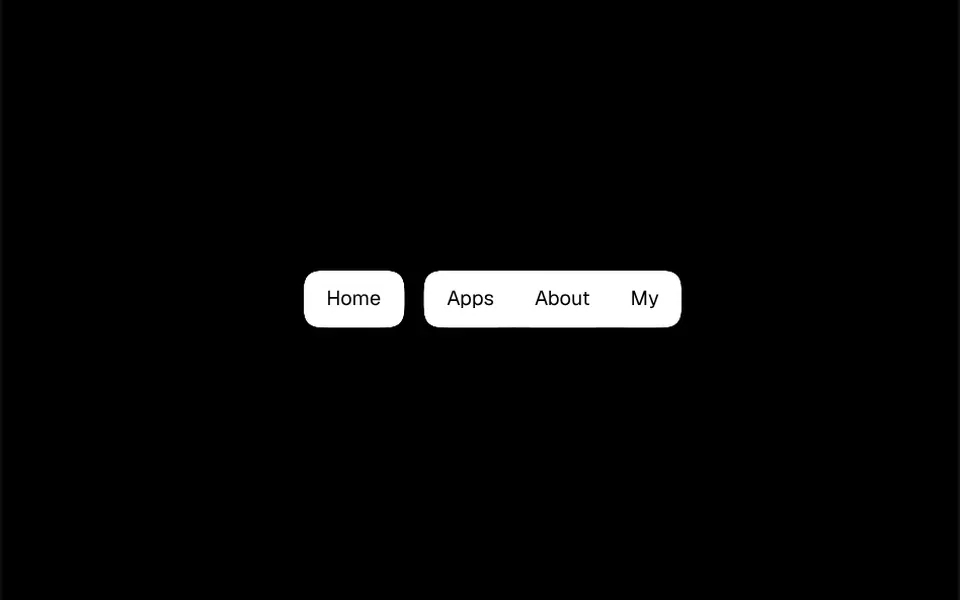
It looks like a white card that follows your cursor along the site header. The bar holds the brand, the menu items and a dark call-to-action button. Pause on an item and a rounded panel appears right below it, with a small arrow pointing at it. Move to the next item and the same panel stretches or shrinks and glides to its new spot, while the old content slides out and the new one comes in from the side you moved toward. Links cascade in, each with an icon, a title and a short description, and some panels include a highlight card with a colorful or dark gradient.
You may be looking for this if you asked for something like
- a top menu that opens a big panel when I hover
- a mega menu with icons and descriptions for a services site
- that startup-site menu where the box slides between items
- a dropdown that smoothly changes size when switching options
- a SaaS header with nice, accessible submenus
- a navigation menu with a featured card inside the submenu
- a menu that does not close by accident when the mouse slips off
Also known as
- mega menu
- morphing dropdown
- animated dropdown
- navigation menu
- shared dropdown panel
- header menu
When to use
- The header of a company or SaaS site with many services
- A product menu with categories, icons and short descriptions
- Sites that want to highlight a case or an offer inside the submenu
- Desktop navigation that must work well with a keyboard
When to avoid
- Main navigation on phones: there is no hamburger version, only a more compact bar
- Sites with two or three direct links, where a submenu only delays the click
How to ask your AI
Create a mega menu for my site header with a single dropdown panel that resizes and moves when switching items, a sliding arrow, hover intent delays, full keyboard navigation with Escape to close and no animation for people who prefer reduced motion.
With THM Componentes, you paste the full prompt from the catalog, which already includes this component's source code, and the AI reproduces this exact effect instead of improvising.
Questions about Bonde
Does Bonde close by accident when the mouse slips off?
Usually not. Bonde uses hover intent: it waits 120 milliseconds to open, 70 to switch items and allows 280 before closing when the cursor leaves the area. All three timings are props, and a click right after a hover opening does not close the panel by mistake.
Is Bonde accessible with a keyboard and reduced motion?
Yes. In Bonde, left and right arrows, Home and End move between items, the down arrow or Tab enter the panel, up and down arrows move through links and Escape closes it, returning focus to the item. Triggers use aria-expanded and aria-controls. With reduced motion on, the panel changes size and position without animation.
Does Bonde work on phones?
It works with touch: tapping an item opens the panel and tapping outside closes it, since hover is ignored on touch screens. In narrow areas, Bonde hides the brand name and the call-to-action button and tightens the items, but it does not turn into a hamburger menu; for phones, ask your AI for a drawer version.