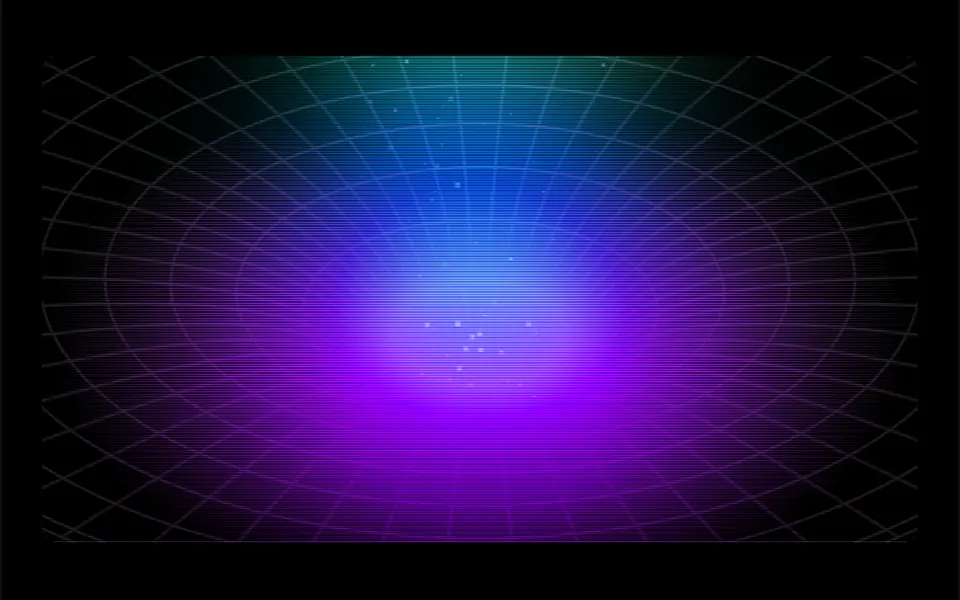
What it looks like
It looks like the classic drawing of a gravity well, sketched in fine pencil. A series of concentric oval rings keeps shrinking toward a point near the bottom, crossed by lines that converge like spokes, forming a tunnel. Small light particles rise from the throat and fan out. In the center, a blurred vertical band of light cycles through cyan, yellow and pink every five seconds, and a purple glow tints the lower part. The edges fade to white in light mode and to black in dark mode, which also adds thin scan lines like an old monitor.
You may be looking for this if you asked for something like
- a black hole backdrop for an event website hero
- a tunnel that pulls everything to the center, sci-fi style
- a background with rings and lines heading into one point, like a vortex
- a launch hero with a space feel and colorful light
- an animated science and innovation background without heavy 3D
- that tunnel effect with a beam of light in the middle
- a dark background with old monitor scan lines and a neon glow
Also known as
- black hole tunnel
- tunnel effect
- warp tunnel
- gravity well animation
- wormhole background
- canvas vortex
When to use
- A product or new version launch hero
- An event, hackathon or tech conference page
- Sections about science, astronomy, research or innovation
- Opening screens with a short headline and a single call to action
When to avoid
- Long pages where it scrolls out of view: the animation does not pause off screen
- Calm brands, where the colorful beam and the tunnel feel too loud
- Weak phones, since the canvas uses the screen's full pixel density
How to ask your AI
Create an animated Canvas backdrop for the launch hero that looks like a black hole: rings and lines narrowing into a tunnel, rising particles and a light beam in my brand colors, with a static version for reduced motion, pausing off screen and a dark mode.
With THM Componentes, you paste the full prompt from the catalog together with this component's code, and the AI reproduces this exact effect instead of improvising.
Questions about Abismo
Does Abismo respect reduced motion settings?
The original component always animates: the rings, particles and light beam never stop. The THM Componentes prompt asks your AI for a static version for people who turn on reduced motion, which for Abismo can be the tunnel drawn once, without the beam cycle.
Can I change the colors of Abismo?
Yes. Abismo has props for the ring and line color and for the RGB color of the particles. The central beam and the purple glow use colors fixed in the code, and the THM Componentes prompt tells your AI to replace them with your project tokens.
Does Abismo work in dark mode?
Yes. Abismo uses Tailwind dark variants: in dark mode the edges fade to black, the tunnel lines become a little more visible and thin scan lines appear on top. In light mode the edges fade to white. The prompt asks your AI to confirm the project uses Tailwind CSS v4.