What it looks like
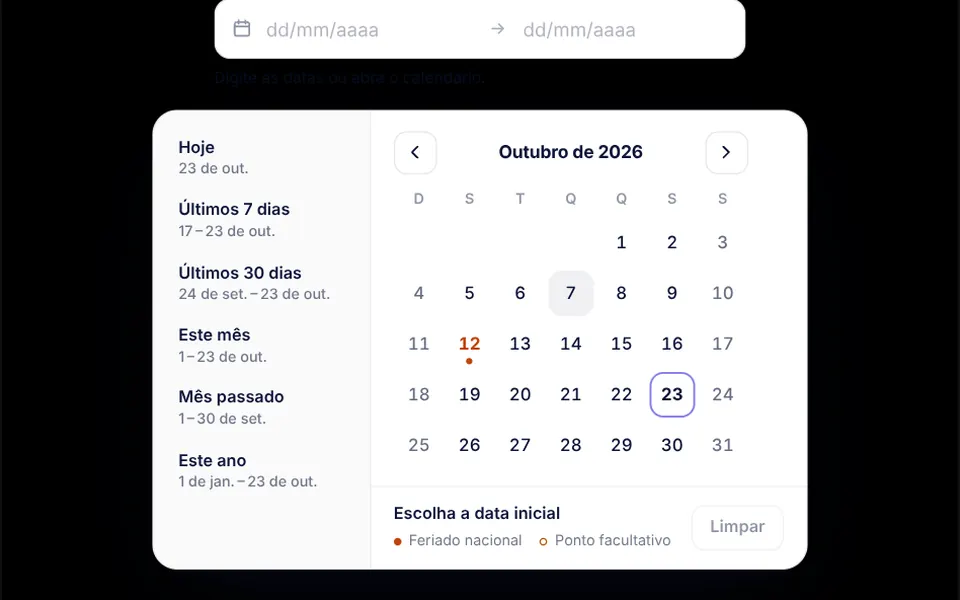
Picture a phone calendar on the week view. The top bar has a button to jump to today, back and forward arrows and a day or week switch. On the left, a mini month calendar and the provider list, each with a color, a checkbox and an appointment count. Hours run from 7 am to 8 pm, with off-hours shaded and a red line at the current time. Each appointment is a pale block marked in the provider color; conflicts get hatching and a warning badge. Dragging over empty space draws a dashed block and opens the editor beside it, or as a bottom sheet on small screens.
You may be looking for this if you asked for something like
- a Google Calendar style scheduler for booking appointments in my app
- a weekly calendar where I drag to create a time slot
- a clinic calendar with a different color for each doctor
- a booking screen where you can drag an appointment to another time
- that week grid of hours with a line showing the current time
- a calendar that warns when two bookings overlap for the same person
- an appointment scheduler that works fully with the keyboard
Also known as
- appointment scheduler
- event calendar
- calendar week view
- drag and drop calendar
- booking calendar
- time grid calendar
When to use
- Clinic, practice or telehealth systems that book appointments per provider
- ERPs and internal dashboards that reserve rooms, equipment or other resources
- Front desk screens where staff reschedule throughout the day by dragging
- Products that need a calendar fully usable by keyboard and screen reader
When to avoid
- Sales pages where the customer only picks one time, where a simple picker is enough
- Calendars built around recurring or all-day events, which it does not provide out of the box
- Apps that need an English interface as is, since labels and dates come in Brazilian Portuguese
How to ask your AI
Create an appointment calendar with day and week views in the clinic dashboard: drag over empty space to create a slot, move and resize with a 15-minute snap, a color per provider, conflict warnings, full keyboard support and an editor that becomes a bottom panel on phones.
With THM Componentes, you paste the full prompt from the catalog, which already includes this component's source code, and the AI reproduces this exact effect instead of improvising.
Questions about Expediente
Does Expediente work on phones?
Yes, with touch: tapping an empty slot opens the editor for a new appointment, and blocks can be dragged to move or resize them. On narrow screens Expediente hides the side panel with the mini calendar and providers, and the editor opens as a bottom panel. In week view the seven columns scroll sideways, so the day view usually works better on a phone.
Can I use Expediente with only a keyboard?
Yes. In Expediente the arrow keys move a time cursor across the grid, Shift with arrows changes the duration and Enter creates the appointment. On an appointment, Enter edits, Delete removes it and Alt with arrows moves it. T jumps to today, D and W switch between day and week, and Ctrl+Z undoes. Screen readers announce the focused time and whether it is free or booked.
How do I connect Expediente to my data in Nuxt?
Appointments go in and out through v-model, with start and end as local date and time, and Expediente emits events when an appointment is created, changed or deleted, ready to save to your API. In Nuxt, the THM Componentes prompt tells your AI to wrap the component in ClientOnly with a static fallback and to load it on demand.