What it looks like
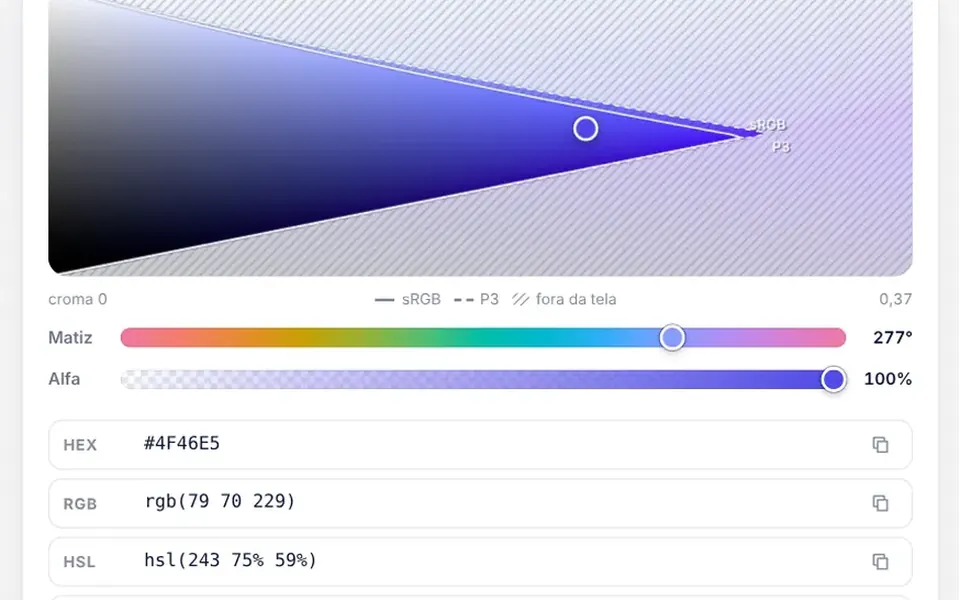
Clicking the button you define drops a panel right below it, in your theme colors. At the top sits a color rectangle that goes from white to the pure hue horizontally and darkens to black vertically, with a small circle you drag. Below, a rainbow bar changes the hue. Next come a format menu and fields to type the numbers, plus a checkered transparency bar in the formats with alpha. Six default swatches, plus your own, sit in a row, and the footer shows a letter A over the color, the contrast ratio and the AA and AAA badges.
You may be looking for this if you asked for something like
- pick a color in the settings panel of my app
- a color field that shows HEX and RGB values to copy
- let customers choose the product color on my site
- a color picker that warns if the contrast is readable
- a palette with preset colors and a custom color option
- choose a color with transparency for a dashboard theme
Also known as
- color picker
- color selector
- color input
- HEX color picker
- RGB color picker
- color palette picker
When to use
- Admin dashboards where customers set their brand colors
- Page, email or social post editors
- Product configurators with free color choice
- Design tools that need to check text contrast
When to avoid
- Choosing among a few fixed colors, where swatch buttons are enough
- Keyboard-only use without changes, since the shade area and bars respond to mouse and touch only
How to ask your AI
Add a color picker to the theme settings panel: saturation area, hue bar, HEX, RGB and HSL inputs, alpha, swatches with my brand colors, an AA and AAA contrast check and color controls that work with the keyboard.
With THM Componentes, you paste the full prompt from the catalog together with this component's code, and the AI reproduces this exact effect instead of improvising.
Questions about Guache
Does Guache work with a keyboard?
Partly. In the original version of Guache, the saturation area and the hue and alpha bars respond to mouse and touch, while the number fields, the format menu and the swatches work with the keyboard. For full use without a mouse, ask your AI to turn the area and bars into arrow-key controls.
Which formats does Guache return?
Guache emits a value-change event with the same color in five formats at once: HEX, HSL, HSLA, RGB and RGBA, with the alpha rounded. It also accepts a starting value as HEX or as an HSV, HSL or RGB object, and the prompt installs its only extra dependency, a color conversion package.
Does Guache follow dark mode?
Yes. The panel in Guache uses the catalog theme tokens for background, border and text, so it follows the light and dark themes of your project. The contrast check computes the ratio for white text over the color on a dark background and for black text on a light background, and shows the higher one.