What it looks like
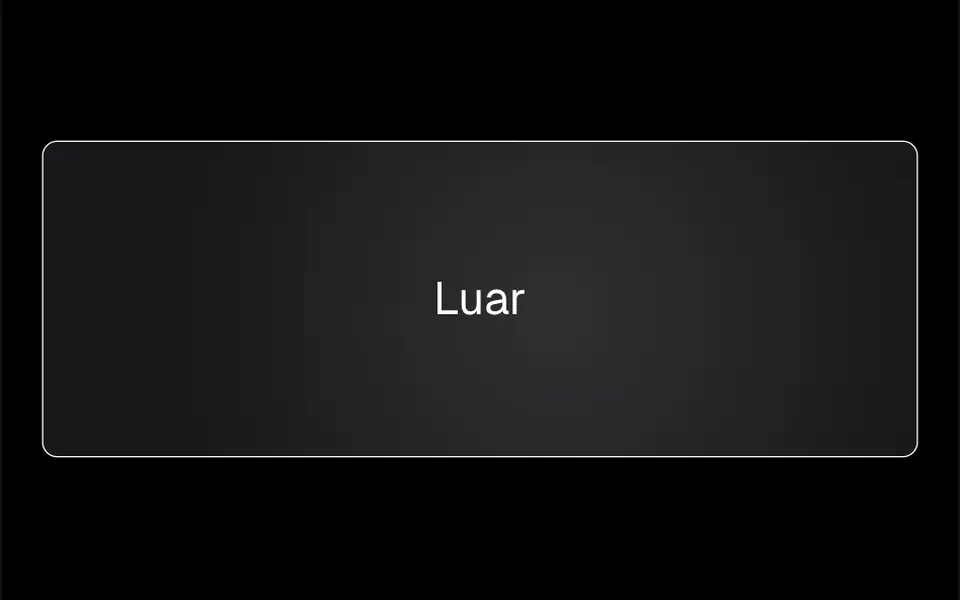
Picture sweeping a dim flashlight over a matte card. While the mouse is over it, a soft circular patch of light follows the tip of the cursor and spreads out until it fades near the edges. When the mouse leaves, it disappears. The card has rounded corners, a thin border and a very light gray background in light mode or near-black in dark mode, and the content sits above the light. In the demo, the spotlight is mid gray in light mode, where it reads more like a soft shadow, and a brighter gray in dark mode, where it looks like real light.
You may be looking for this if you asked for something like
- a card that lights up wherever the mouse goes
- glow that follows the cursor inside my feature cards
- that flashlight effect on cards you see on dark mode startup sites
- add a subtle highlight to my benefits grid on hover
- dark cards with soft light tracking the pointer
- make the cards on my page feel like a tech product
Also known as
- spotlight card
- radial hover glow
- cursor glow card
- mouse follow glow
- hover glow effect
- flashlight hover effect
When to use
- A SaaS feature or benefits grid
- Pricing or service cards on a dark background
- An integrations or partners section with many cards
- Dark-themed dashboards that need subtle hover feedback
When to avoid
- Sites used almost only on phones, where there is no cursor to light the glow
- Light backgrounds without adjusting the color, where the spotlight turns into a gray smudge
How to ask your AI
Create spotlight cards that follow the mouse for my SaaS feature grid: a soft radial glow under the cursor in my brand colors that fades on leave, content above the light, good contrast in light and dark mode and a static version for reduced motion.
With THM Componentes, you paste the full prompt from the catalog together with this component's code, and the AI reproduces this exact effect instead of improvising.
Questions about Luar
Can I change the color of Luar?
Yes. Luar takes the glow color in gradientColor and its strength in gradientOpacity, which defaults to 0.8. In the demo the color changes with the theme, mid gray in light mode and a brighter gray in dark mode. The THM Componentes prompt tells your AI to use your project color tokens instead of fixed colors.
Does Luar work on phones?
The effect depends on the cursor: Luar follows mouse movement and turns the glow off when the mouse leaves. Touch screens have no cursor to follow, so the glow does not track the finger, but the card and its content stay the same. That makes it a desktop extra that does no harm on mobile.
Will Luar make my page heavy?
No. Luar is a CSS radial gradient whose position changes with the mouse, with no canvas or WebGL, and it is rated Light in THM Componentes. Even in a grid with many cards, only the card under the cursor recalculates its glow.