What it looks like
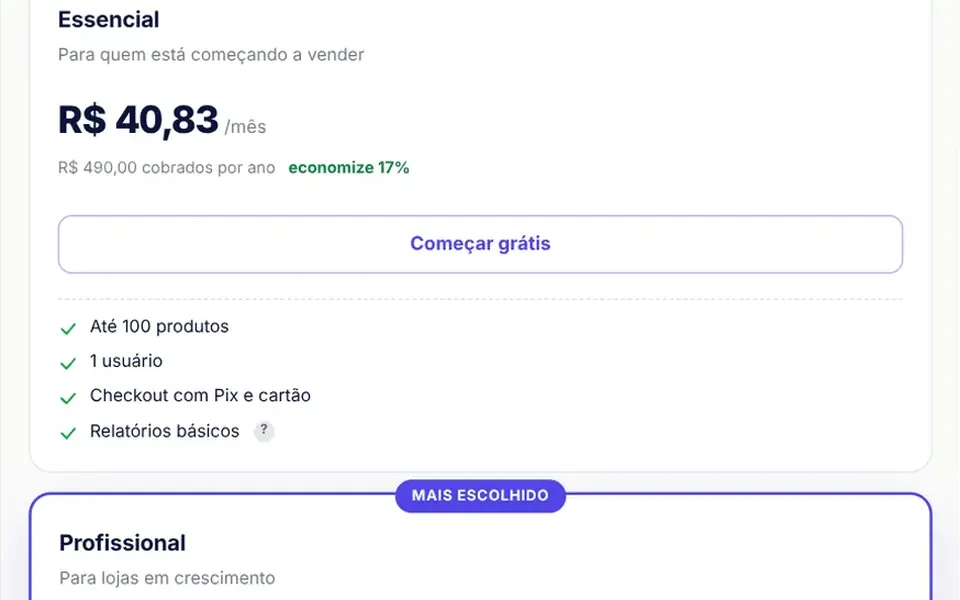
Picture a white card with rounded corners and a thin border where a streak of light keeps running, like the LEDs chasing around a shop sign. The beam goes from indigo at the tail to cyan at the tip, is about 70 degrees long and completes a lap every 6 seconds, with a blurred halo just outside and inside the edge. When the mouse moves over the card, a soft light in the beam color follows the pointer. The default content is a sample pricing plan that you replace with your own.
You may be looking for this if you asked for something like
- a light running around the border of the most popular plan card
- a pricing card with a glowing border that spins
- an animated outline of light moving around a card, kind of neon
- make the recommended plan stand out on my pricing page without overdoing it
- a card that lights up where the mouse hovers
- a gradient border animation to draw attention to an offer
- that glowing border effect you see on SaaS sites
Also known as
- animated border
- glowing border card
- conic gradient border
- light trail border
- rotating border glow
- cursor glow card
When to use
- The recommended plan in a pricing table, next to plain cards
- An offer or coupon card that needs to stand out on the page
- A callout for a new feature inside a dashboard or landing page
- A free trial invitation at the end of a sales page
When to avoid
- Grids full of identical cards, where the beam stops working as a highlight
- Dark sites, unless you first change the card's fixed white background
How to ask your AI
Create an animated border card for the recommended plan on my pricing page: a gradient beam of light in my brand colors running around the border and a soft glow following the cursor, paused when off screen and with a still border for people who prefer reduced motion.
With THM Componentes, you paste the full prompt from the catalog, which already includes this component's source code, and the AI reproduces this exact effect instead of improvising.
Questions about Pavio
Will Pavio make my page heavy?
No. Pavio is rated Light in THM Componentes: the beam is a conic gradient animated with CSS, and JavaScript only tracks the cursor and pauses the animation when the card leaves the screen. Still, use it on one or two cards per page so the highlight keeps its meaning.
Can I change the colors and content of Pavio?
Yes. Pavio takes the tail and tip colors of the beam, lap duration, beam length, border width, corner radius and card width as props, and the prompt tells your AI to use your project color tokens. Your own content goes in the slot, replacing the sample plan.
Does Pavio respect reduced motion settings?
Yes. When reduced motion is turned on in the system, Pavio switches off the animation and parks the beam at a fixed spot on the border, so the highlight remains. The glow that follows the cursor still works, because it only appears while the mouse moves over the card.