What it looks like
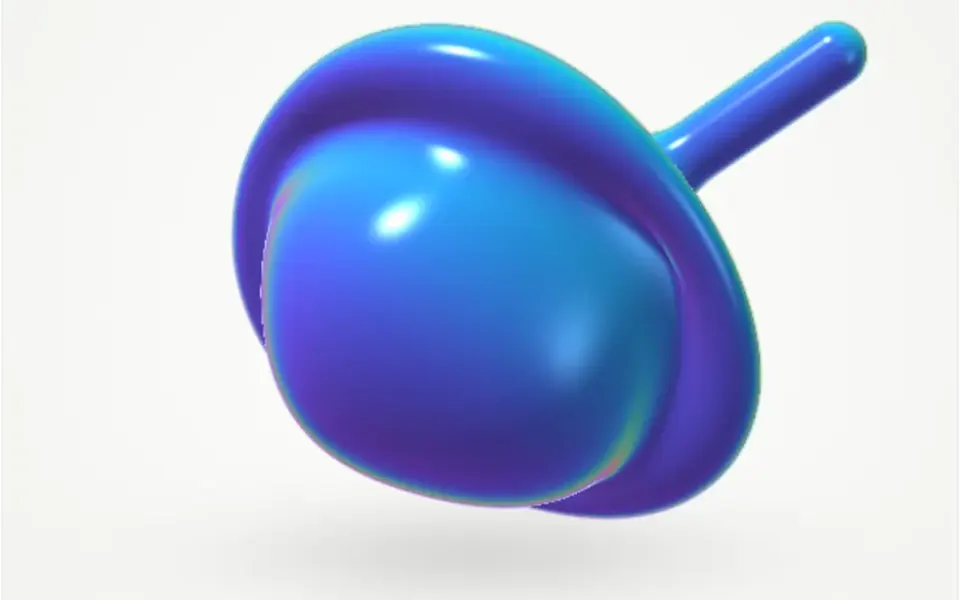
It looks like a living drop of jelly seen from the front. The shape, 420 pixels by default, has a round, irregular outline that undulates gradually without ever forming points. The fill is a diagonal gradient from indigo to cyan, with a white highlight in the upper left and a blurred shadow, shifted slightly down, that adds volume. When the mouse comes close, the side facing it swells and stretches toward it; when the pointer leaves, the blob relaxes and goes back to just breathing.
You may be looking for this if you asked for something like
- a colorful blob slowly moving at the top of my site
- an organic shape that stretches toward the mouse
- an animated gradient blob behind a profile photo
- an abstract element that feels alive on the homepage
- a blob of color that changes shape on its own, kind of jelly-like
- a lightweight illustration that reacts to the cursor without 3D
Also known as
- morph blob
- animated blob
- organic shape
- SVG blob
- blob animation
- liquid shape
When to use
- A brand element next to the hero headline
- A backdrop for an avatar or profile photo on a personal page
- An abstract illustration between sections of a landing page
- Wellness, design or creative product pages that call for soft shapes
When to avoid
- Phones where the shape spans the full width: touching it does not scroll the page
- Dense corporate interfaces, where a living shape feels off tone
How to ask your AI
Create an organic SVG shape in the hero that breathes slowly and stretches toward the cursor, with a gradient in my brand colors, a highlight and soft shadow, animation paused when off screen and a still shape for people who prefer reduced motion.
With THM Componentes, you paste the full prompt from the catalog, which already includes this component's source code, and the AI reproduces this exact effect instead of improvising.
Questions about Morph Blob
Will Morph Blob slow down my site?
Barely. Morph Blob is rated Light in THM Componentes: each frame it recomputes a single SVG path with 10 points, with no WebGL and no dependencies. The animation does not stop by itself when the shape leaves the screen, so on long pages ask your AI to pause it outside the visible area.
How do I change the colors and shape of Morph Blob?
The two gradient colors of Morph Blob go in the colors prop, and the prompt tells your AI to use your project color tokens. The outline is tuned with points, complexity and amplitude, breathing speed with speed, cursor attraction with magnet and the size in pixels with size.
Does Morph Blob respect reduced motion settings?
Yes. With reduced motion turned on, Morph Blob stops breathing and keeps a fixed outline. The shape still stretches when the mouse comes close, because that movement only happens when the person acts and it follows the pointer smoothly.