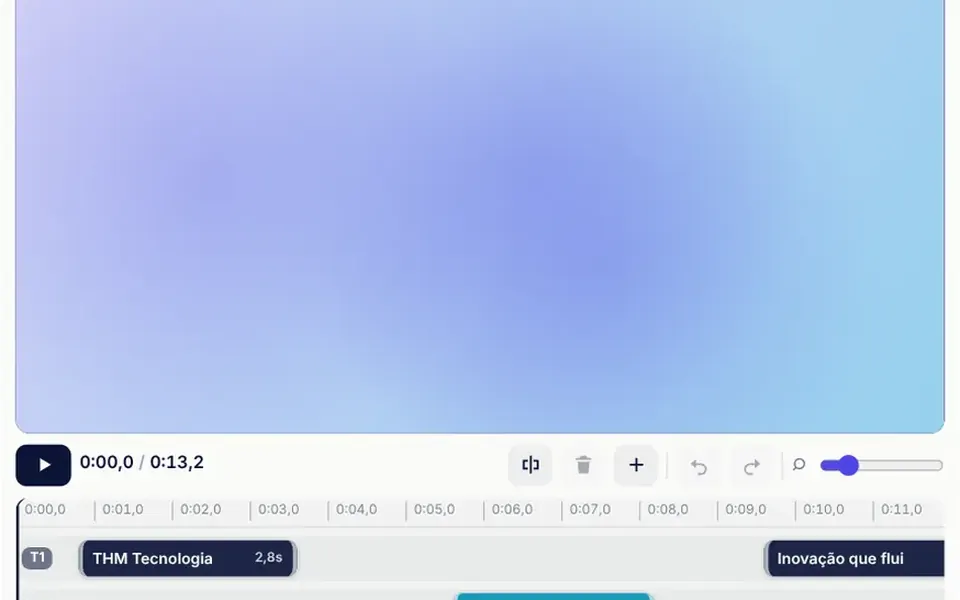
What it looks like
It looks like the lower half of a desktop video editor, in miniature. At the top, a dark preview shows the composition at the playhead. Below it, a toolbar holds play, the time, split, delete, add clip, undo, redo and a zoom control. Then come the time ruler and the tracks, one for text and two for video, with colored block clips that show their name and duration. Dragging the middle moves a clip; dragging an edge trims it. Near another edge or the playhead, the clip snaps into place and a cyan line appears.
You may be looking for this if you asked for something like
- a simple video editor inside my web app
- a timeline to cut and join clips in the browser
- drag pieces of video around and see the result right away
- a tool to put stories together by trimming videos without leaving the site
- a pro-style editing timeline with undo and shortcuts
- an editing bar where clips snap to each other
Also known as
- video timeline
- video editor
- web video editor
- timeline editor
- clip editor
- non-linear editor
When to use
- An internal tool for assembling ad creatives or video cuts
- A product for editing stories, reels or ads in the browser
- A media editor prototype to validate the flow with users
- A dashboard where a team lays out blocks over time, like a script or scenes
When to avoid
- When you need to edit real video files without adapting the component
- Small phone screens, where tracks and edges are hard to hit with a finger
- Public marketing pages, where a full editor is overkill
How to ask your AI
Create a timeline video editor in Vue: a live composited preview, video and text tracks, clips to drag, trim by the edges and split at the playhead, snapping with a guide, zoom and undo. I want keyboard shortcuts, accessible labels on the clips and the track state in a v-model.
With THM Componentes, you paste the full prompt from the catalog, which already includes this component's source code, and the AI reproduces this exact effect instead of improvising.
Questions about Película
Does Película edit real videos?
Not without adaptation. Película ships with abstract animated demo sources drawn on a canvas, plus a text track, and it does not read video files. The tracks, trimming, splitting, snapping and undo, along with the tracks v-model, give your AI a base to connect your own media engine.
Which shortcuts does Película have?
In Película, Space plays and pauses, S splits at the playhead, Delete removes the selected clip, Ctrl+Z undoes and Ctrl+Shift+Z redoes. The arrow keys move the selected clip by 0.1 second, or 1 second with Shift, and Ctrl with the mouse wheel zooms the ruler.
How do I save the edited project in Película?
Película keeps the tracks in a v-model: after each completed edit, such as dragging, trimming, splitting, deleting or undoing, it emits the list of tracks with the start, duration and in-point of every clip, in seconds. That is the data you store in your database or in local storage.