What it looks like
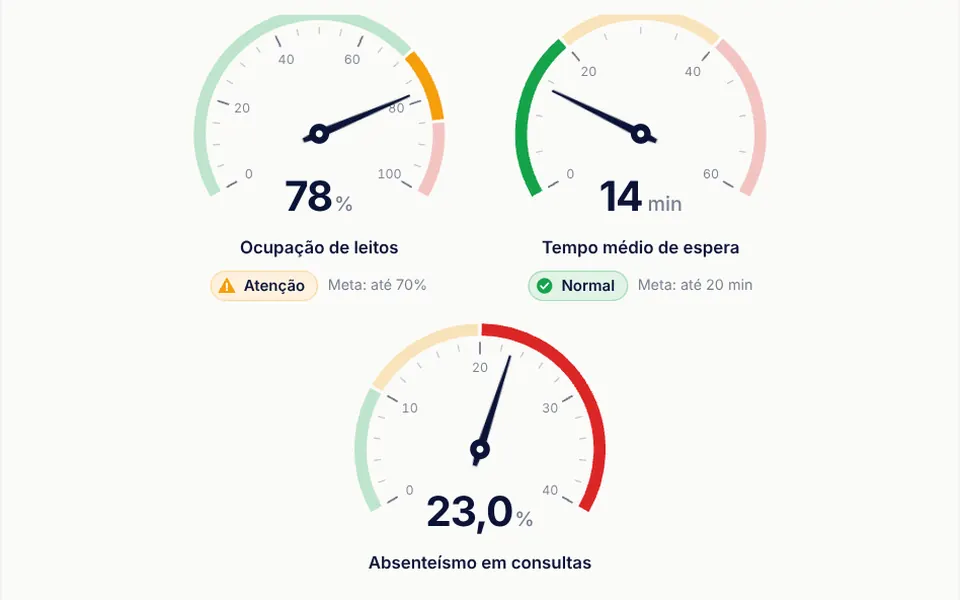
It recalls the activity ring on a smartwatch. A thick circle with rounded ends starts at the top and fills clockwise in the accent color, indigo by default, up to the value's percentage; the rest of the path shows as a light gray track, separated from the arc by small gaps. When the value changes, the arc glides to its new position in one second by default. In the center, the number appears in a large semibold font. Above 90 percent, the gray track disappears and only the colored arc remains.
You may be looking for this if you asked for something like
- a circle that fills up to the goal percentage
- a progress ring like the Apple Watch one for my dashboard
- show how much of the course someone has finished in a round chart
- a circular KPI indicator with the number in the middle
- a round progress bar that animates when the value changes
- a simple percentage gauge for the onboarding screen
Also known as
- circular progress bar
- progress ring
- radial progress
- circular gauge
- donut progress chart
- percentage ring
When to use
- Dashboards with KPIs and monthly goals
- Progress through a course, learning path or certification
- Onboarding steps or profile completion
- Plan or storage usage, such as space used
When to avoid
- Comparing several values side by side, where bars or charts read more clearly
- Dark backgrounds without changing the track color, which defaults to a nearly invisible translucent black
How to ask your AI
Create an SVG circular progress ring for my dashboard KPIs: the arc fills with a smooth animation up to the value, with the formatted number and a percent sign in the center, my brand colors, an accessible label for screen readers and a static version for people who prefer reduced motion.
With THM Componentes, you paste the full prompt from the catalog together with this component's code, and the AI reproduces this exact effect instead of improvising.
Questions about Transferidor
Does the number in Transferidor include a percent sign?
No. Transferidor shows the value calculated between minimum and maximum in the center, without the sign and without rounding, so fractions show decimal places. Ask your AI to round it, add the sign and format it, and also to mark the ring as a progress bar for screen readers, which the component does not declare.
Can I change the colors and thickness of Transferidor?
Yes. Transferidor takes props for the arc color, the track color, the stroke width and the animation duration, plus the minimum and maximum of the scale. The default size is 10rem and changes with a class. The THM Componentes prompt asks your AI to use your project color tokens.
Does Transferidor respect reduced motion settings?
The original component always animates the arc when the value changes. The THM Componentes prompt asks your AI for a static version for people who turn on reduced motion, which is simple with Transferidor: turn off the stroke transition and show the arc already at its final value.