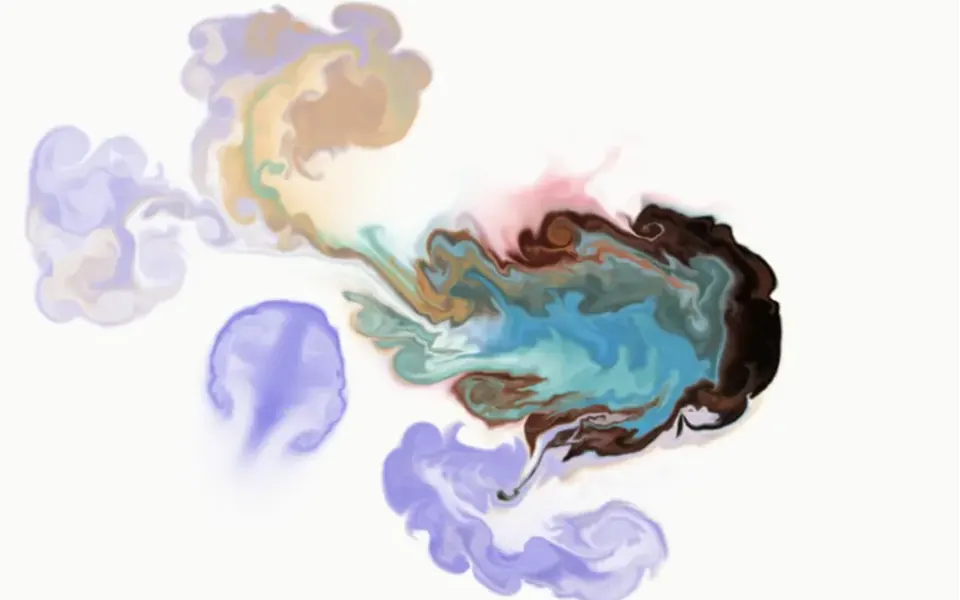
What it looks like
It feels like running a finger through a puddle of neon paint. The component covers the whole screen with a transparent layer on top of your content that does not get in the way of clicks or text selection. Every mouse movement releases glowing ink in the direction of the gesture; the color is picked at random from the whole rainbow and changes several times per second, so the trail comes out multicolored. The ink flows, curls into eddies and dissolves quickly. A click releases a stronger burst of color. On phones, dragging a finger leaves the same trail. Light shading gives the liquid some volume.
You may be looking for this if you asked for something like
- a colorful trail following the mouse like ink in water
- neon smoke behind the cursor across the whole site
- a cursor that leaves a liquid rainbow trail
- something to make my portfolio react when people move the mouse
- the mouse paints the screen with color that drips and fades
- that colorful fluid effect you see on creative agency sites
Also known as
- liquid cursor trail
- neon paint cursor
- WebGL ink cursor
- smoke cursor
- splash cursor
- ink trail effect
- cursor trail
When to use
- A designer, studio or digital artist portfolio
- A creative agency site that wants a memorable first visit
- A launch or event page with a dark background
- A short campaign landing page where interaction is part of the experience
When to avoid
- Reading pages, forms and checkout, where ink over the text distracts
- Pages that already run another WebGL effect
- Audiences on low-end phones, since the simulation is rated Heavy
How to ask your AI
Add a WebGL fluid simulation cursor that leaves an ink trail in my brand colors over the page without blocking clicks. Load it only in the browser and on demand, stop the animation when leaving the page and turn the effect off for people who prefer reduced motion.
With THM Componentes, you paste the full prompt from the catalog together with this component's code, and the AI reproduces this exact effect instead of improvising.
Questions about Aquarela
Will Aquarela slow down my site?
It can on weaker devices. Aquarela runs a fluid simulation on the graphics card every frame, across the whole screen, and it is rated Heavy in THM Componentes. The prompt tells your AI to load it on demand, use at most one heavy WebGL effect per page and compare LCP and INP before and after.
Does Aquarela work in Nuxt with SSR?
Yes, as long as it runs only in the browser. Aquarela creates its WebGL context when it mounts and listens to mouse and touch on the window. The THM Componentes prompt asks your AI to wrap it in ClientOnly with a static fallback and to load it on demand. Without WebGL, the original shows nothing and throws an error.
Can Aquarela use my brand colors?
Yes, with a small code change. Out of the box, Aquarela picks random hues from the whole rainbow several times per second. The THM Componentes prompt tells your AI to use your project color tokens with no hard-coded colors, so it can swap the random pick for a brand palette and keep the fluid physics.