What it looks like
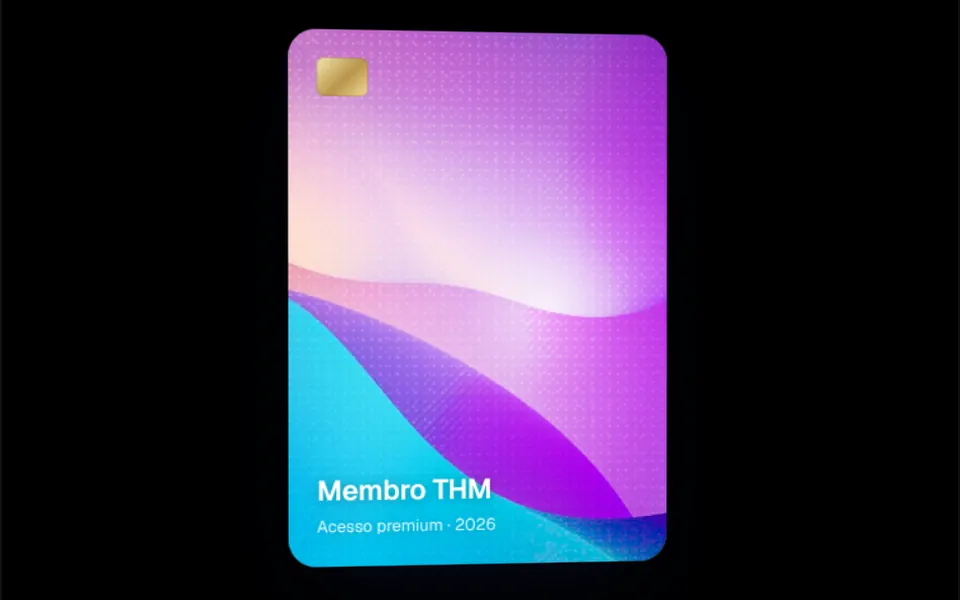
It looks like a hardcover book standing in a shop window. The cover is a dark gradient, graphite by default, with white content at the bottom: icons, a title and a short description. Near the left edge, a subtle crease imitates the hinge of a hardcover. On hover, the book turns 30 degrees over one second with a smooth ease, showing the white page edges and the back cover, which casts a wide shadow. The proportion is 3 by 4, from 180 to 300 pixels wide. The shadow is light gray in light mode and near black in dark mode.
You may be looking for this if you asked for something like
- show my e-book cover in 3D on the landing page
- a book that turns sideways when I hover
- a book mockup to promote a free guide
- make my lead magnet look like a real book
- a 3D e-book image without opening a design app
- something to make my e-book download page look professional
- a standing book with a shadow, like a bookstore display
Also known as
- 3D book
- book mockup
- ebook mockup
- 3D book cover
- CSS 3D book
- book cover mockup
When to use
- A landing page to download an e-book, guide or report
- A resources section for a blog or consultancy
- Launching a book, workbook or course in guide format
- A publications showcase with one book per color and topic
When to avoid
- Covers that depend on specific artwork or a photo, since the component draws the cover with a gradient and text
- Pages visited almost only on phones, where the turn depends on hover; use the still version there
How to ask your AI
Create a CSS 3D book to promote my e-book on the download page: a gradient cover in my brand colors with title and icon, a smooth sideways turn on hover that reveals the pages, a still version for reduced motion and on phones, and the title as an h2 so it does not duplicate the h1.
With THM Componentes, you paste the full prompt from the catalog together with this component's code, and the AI reproduces this exact effect instead of improvising.
Questions about Códice
Can I keep Códice still, without animation?
Yes. Códice has an isStatic prop that keeps the book fixed, already turned 30 degrees to show the page edges, with no mouse needed. It is the simple answer for reduced motion and for phones, and the THM Componentes prompt asks your AI for exactly that kind of static version for people who prefer less motion.
How do I change the colors and size of Códice?
Códice takes a color prop with 22 shades from the Tailwind palette, such as blue, emerald or rose, always as a gradient from darker to lighter, and a size prop with four widths from 180 to 300 pixels. You can also adjust the corners, the shadow and the turn duration, which is one second by default.
Does the title in Códice hurt the page SEO?
It can. Códice's BookTitle renders an h1 element, so a page with its own main h1 ends up with two top-level headings. Ask your AI to switch it to an h2 or h3 to match the section hierarchy, without changing the look.