What it looks like
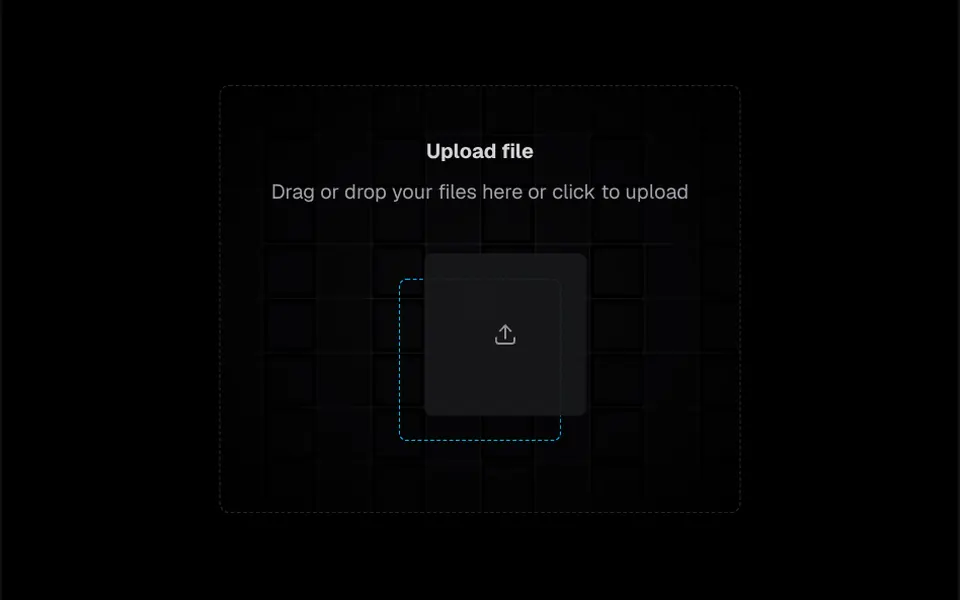
In the center, over a grid of light squares that fades at the edges, sit a heading, a short instruction and a square card with an upload arrow. When the mouse passes over it, or when someone drags a file across the area, the card springs up and to the right and reveals a dashed blue outline, like an empty slot. Once files are dropped or chosen, the card gives way to rows that unfold horizontally, one per file, with name, size in MB, type and date. The component has light and dark versions.
You may be looking for this if you asked for something like
- a drag and drop area for files in my form
- a nice upload field for sending documents
- a box where people can drop their PDF
- show the list of chosen files with name and size
- an upload area that animates when I drag a file over it
- make the document upload in my portal look like a modern app
Also known as
- file upload
- drag and drop upload
- dropzone
- file input
- upload area
- file drop zone
When to use
- Document uploads in customer portals and sign-ups
- Application forms with a resume, receipt or photo
- Internal dashboards that receive spreadsheets or images
When to avoid
- Flows that need a progress bar or file removal, unless you ask your AI to add them
- Keyboard-only use in the original, since the area does not take focus
How to ask your AI
Add a drag and drop dropzone for document uploads to my form: a list with name, size and type, size and file type limits, a remove button, keyboard access, localized texts and my brand colors.
With THM Componentes, you paste the full prompt from the catalog together with this component's code, and the AI reproduces this exact effect instead of improvising.
Questions about Malote
Does Malote send the file to a server?
No. Malote only collects the chosen files and emits an onChange event with the full list of File objects. Sending to your API or storage, a progress bar and removing items have to be added; your AI can build that on top of this event.
Can I limit file types and size in Malote?
In its original form, Malote accepts any file with no size limit. To restrict it to PDFs or images, cap the size or allow several files per click, ask your AI to adjust the file input; when dragging, the area already accepts several files at once.
Does Malote work in a plain Vue project?
Yes, with a small change. Malote ships wrapped in ClientOnly, a Nuxt feature, and uses an icon component, so in a Vue-only project your AI removes the wrapper and swaps the icon. The heading and instruction are fixed in English in the code and can become props.