What it looks like
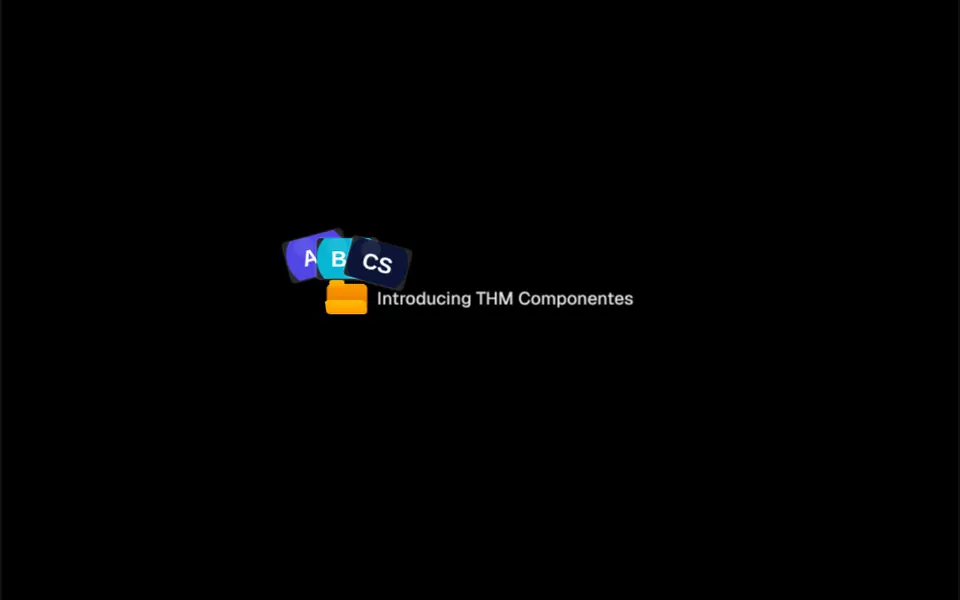
It looks like a yellow file folder the size of an icon, with the edges of three photos peeking out of the top. When the mouse arrives, the front of the folder drops down as if the folder were opening, and the photos grow, rise and spread into a fan, tilted to the sides, one after another, with a slight springy bounce. Move the mouse away and everything slides back in. A short text sits next to it, like a label. In dark mode the folder takes a deeper amber and the photo frames darken. With a link set, the whole badge becomes a link.
You may be looking for this if you asked for something like
- a little folder with photos that pop out when I hover
- a badge with customer photos to show social proof
- an announcement badge with thumbnails that fan out
- a folder icon that opens and shows project images
- a playful detail next to the headline to invite a click
- something like a Mac folder opening with photos inside
Also known as
- pop-out photo badge
- folder badge
- animated badge
- photo fan hover
- avatar stack
- hover preview badge
When to use
- Social proof with customer photos next to a call to action
- A new feature or launch badge above the hero headline
- A link to a portfolio or gallery with an image preview
- Project lists where each item gets a visual preview
When to avoid
- Sites visited mostly on phones, where there is no hover
- Photos that need descriptions, unless you replace the generic alt text
How to ask your AI
I want a small badge with a folder icon and three customer photos that fan out on hover, next to the hero call to action, in my brand colors, with descriptive alt text on the photos and a static version for people who prefer reduced motion.
With THM Componentes, you paste the full prompt from the catalog together with this component's code, and the AI reproduces this exact effect instead of improvising.
Questions about Relicário
Does Relicário work on phones?
The animation in Relicário is built for mouse hover. On touch screens the badge shows closed, with the photo edges visible and the label next to it, and a link set on it opens with a tap as usual. Treat it as an extra detail, not as the only way to reach the content.
Can I use Relicário as a link?
Yes. With the href prop, Relicário becomes a real link that takes focus with Tab and opens with Enter. To open in a new tab, set target to _blank, and the component adds the noopener protection. The folder opening animation, however, only happens with the mouse.
How do I change the photos and colors of Relicário?
Photos come from the images prop, and Relicário shows up to three. Folder size, photo size, lift height, fan spread and rotation are props too. The folder colors are fixed amber tones, and the THM Componentes prompt tells your AI to replace them with your project color tokens.