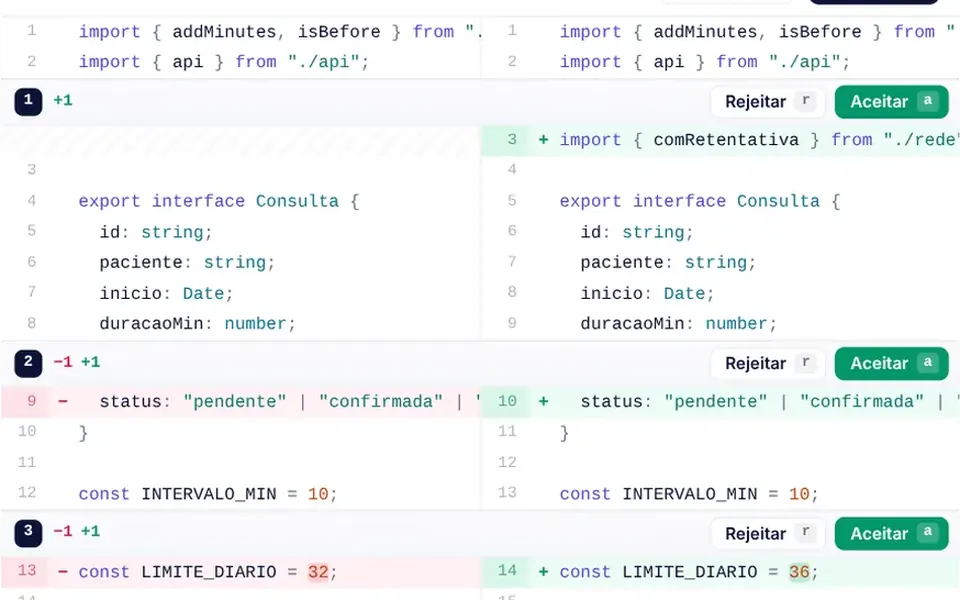
What it looks like
It looks like the window of a programming editor in a light theme, set in a white card with rounded corners. At the top sits a tab with the file name, a colored language badge and a dot when there are unsaved changes, next to buttons to search, fold everything and copy. On the left are line numbers and small arrows to collapse blocks; the current line gets a faint tint and a thin stripe in the accent color. Keywords show in indigo, strings in teal, numbers in orange and comments in gray. The footer shows line, column, indentation and a language picker.
You may be looking for this if you asked for something like
- a code editor inside my admin panel with syntax colors
- a field to edit JSON config without breaking the formatting
- an API playground where people can test calls right on the site
- a code box with line numbers and search, like VS Code but lightweight
- show and tweak the code the AI generated before applying it
- a textarea that becomes a proper code editor with auto indent
- a code editor that will not make the page heavy
Also known as
- code editor
- syntax highlighting
- browser code editor
- in-browser IDE
- code playground
- JSON editor
When to use
- API playgrounds and interactive docs where people edit the example
- Editing JSON config or script snippets in technical dashboards
- Reviewing and adjusting AI-generated code before saving it
- Internal tools that need search, folding and IDE shortcuts without a heavy editor
When to avoid
- Projects that need smart autocomplete, type checking or multiple file tabs
- Code in languages outside the seven supported ones, such as PHP or SQL
- Reading files with long lines on phones, since text does not wrap and scrolls sideways
How to ask your AI
Add a lightweight code editor with syntax highlighting to the API playground in my dashboard: line numbers, Ctrl+F search, code folding, Ctrl+S to save, leaving focus with Esc then Tab so the keyboard is never trapped, and my theme colors.
With THM Componentes, you paste the full prompt from the catalog, which already includes this component's source code, and the AI reproduces this exact effect instead of improvising.
Questions about Code Editor
Does Code Editor slow down with long files?
Code Editor only draws the visible lines of its highlighted layer and re-tokenizes just the lines you change, which keeps typing and scrolling light in long files. The component does not declare a line limit, so test it with the largest file your system needs to open and compare INP.
Does Code Editor work with the keyboard and screen readers?
Yes. Code Editor uses a real textarea, labeled with the language and described with its shortcuts for screen readers. Tab indents instead of leaving the field; to leave, press Esc and then Tab. Search results and status messages are announced, Ctrl+/ toggles comments and Ctrl+Shift with a bracket key folds blocks.
How do I save what people type in Code Editor?
Code Editor works with v-model, so the text always lives in your state. Ctrl+S emits a save event with the current code and clears the unsaved marker, and the getValue and setValue methods let your code read or replace the content, for example before sending it to an API.