What it looks like
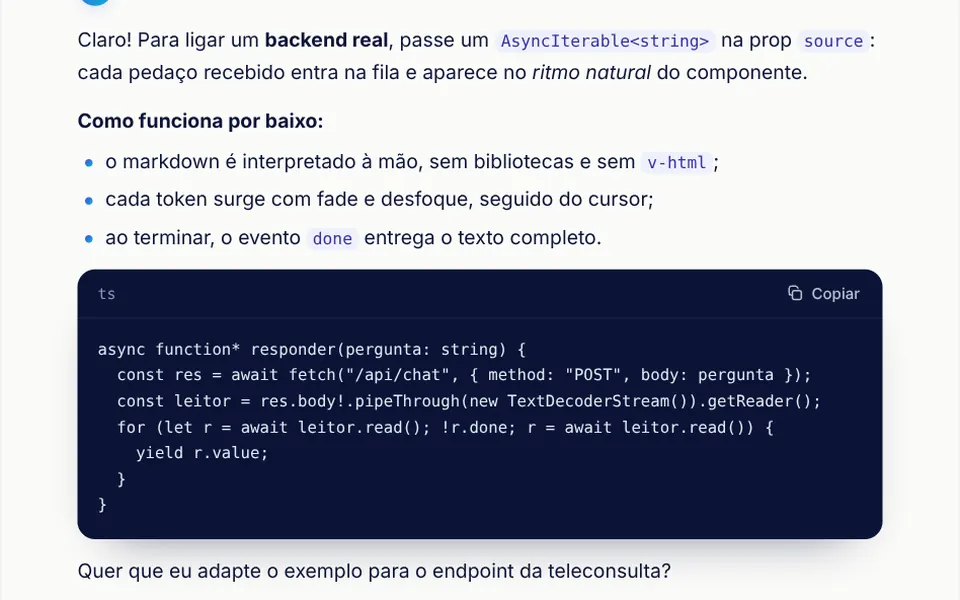
It looks like a messaging app with an assistant on the other side. The header shows a gradient avatar with initials, the assistant name and a typing status. Your messages sit on the right in indigo bubbles; replies sit on the left in white bordered bubbles, with bold text, lists and code blocks formatted. While a reply is pending, three dots pulse; then the text streams in with a blinking cursor. On hover, copy, edit, regenerate and thumbs buttons appear, and messages with versions show arrows and a counter like 2/3. At the bottom, the message box has an attach button and a send button that turns into stop.
You may be looking for this if you asked for something like
- a ChatGPT-style chat screen for my app
- an AI chat where the answer appears bit by bit
- a button to regenerate the answer and switch between versions
- a support chat with thumbs up and down on each reply
- show code in the AI answer with a copy button
- edit a question I already sent and get a new answer
- a chat that does not jump to the bottom while I read older messages
Also known as
- AI chat interface
- chat UI
- message branching
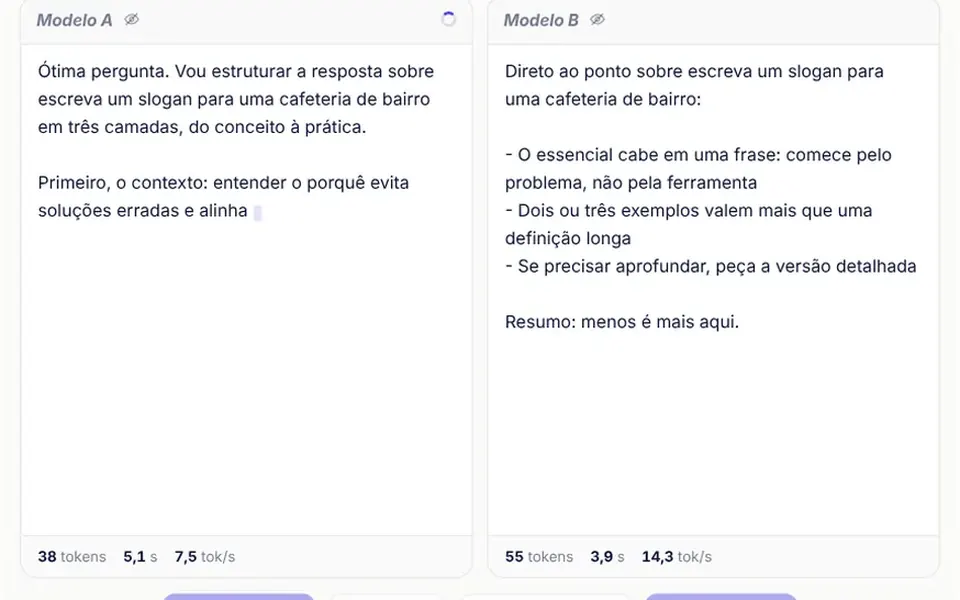
- streaming chat
- assistant chat
- conversation view
- chatbot conversation UI
When to use
- Support assistants that talk to customers inside the product
- Internal copilots for sales, support or operations teams
- Product agents that answer with lists, quotes and code snippets
- AI product prototypes that need a complete conversation before the backend exists
When to avoid
- Real file uploads without changes, since the demo attach button only adds sample chips
- One-line questions and answers, where a simple prompt box is enough
- English interfaces as is, since labels and day separators are in Portuguese
How to ask your AI
Create an AI assistant conversation in my app connected to my streaming API: safe markdown answers with copyable code, regenerate and edit with version navigation, thumbs with comments, scrolling that respects reading and screen reader announcements.
With THM Componentes, you paste the full prompt from the catalog, which already includes this component's source code, and the AI reproduces this exact effect instead of improvising.
Questions about Pingue-pongue
How do I connect Pingue-pongue to my AI model?
Pass an async generator function in the responder prop that receives the prompt, the history and the version number and yields the answer in chunks. Pingue-pongue shows each chunk as it arrives, lets people stop the generation and keeps messages through v-model, in a tree where each one points to the previous message.
Is the markdown in Pingue-pongue safe?
Yes. Pingue-pongue uses its own parser and builds elements without v-html, so text coming from the model cannot inject HTML into the page. It handles paragraphs, headings, lists, quotes, rules, bold, italics, inline code, code blocks with a copy button and http and https links, which open in a new tab.
How do versions work in Pingue-pongue?
Regenerating an answer or editing a question creates a new version next to the original, without deleting anything. In Pingue-pongue each message with versions gets arrows and a counter like 2/3, and the conversation follows the chosen branch. The branch event tells your app when someone switches versions.